OpenPipal brings a graphical MCP agent client to macOS
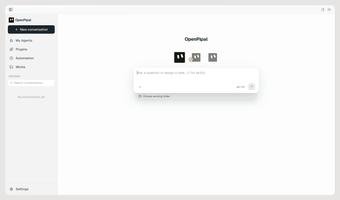
OpenPipal, from Yuanlang12, is a macOS visual agent application that replaces terminal workflows with a graphical agent client for local desktop use. The app connects to external AI models using API keys and base URLs and ships with pre-configured coding and design assistants, screen-aware context, and MCP/ACP protocol support. Aimed at developers and designers, it reduces command-line setup and helps integrate MCP-compatible agents into daily macOS workflows.
What tasks can you actually use it for?
OpenPipal targets desktop agent interactions such as drafting, code help, and design guidance through a visual interface rather than a CLI. It includes three pre-configured assistants: a default agent, a Design Assistant, and a Coding Assistant. The app also offers a browser extension to bring agent capabilities into web pages, so users can apply the agent across documentation, editor windows, and browser-based workflows.
How dependable are model connections and the outputs you get?
The app is model-agnostic and connects to models via user-supplied API keys and Base URLs, so output quality depends on the chosen provider and model. OpenPipal is built on the Pi agent framework and supports the Model Context Protocol and Agent Client Protocol, which ensures standardized communication between the client and compatible model endpoints. Expect variability in results because the tool delegates generation to external models you configure.
Does it require technical setup and how does it fit into a macOS workflow?
Installation uses a .dmg with separate Apple Silicon and Intel builds, and ad-hoc code signing may require manual allowance in System Settings or using xattr. The app requests Accessibility and Screen Recording permissions to provide screen-aware context. For extension and customization, it supports Agent Skills and Agent Plugins, so integrating it into an existing development or design workflow requires some configuration and occasional permission management.
A practical choice for hands-on macOS users who accept configuration trade-offs
OpenPipal is a practical option for macOS developers and designers who prefer a desktop, open-source agent environment and who can manage model selection and local setup details. It suits users who value protocol-based interoperability and extensibility, while those seeking a turnkey hosted assistant may find the required configuration and permission steps a poor fit.